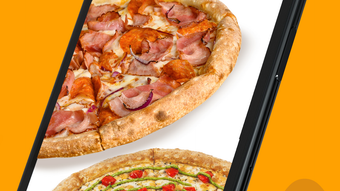

Order Pizza in Seconds with Л Пицца
Overview
Л Пицца is a desktop application designed for pizza lovers seeking a seamless ordering experience directly from their Windows or Mac devices. The app functions as a lifestyle tool focused on simplifying how users access their favorite pizzas, whether for home delivery or in-store pickup. By offering a curated menu with a variety of pizza types and beverages, Л Пицца enables users to explore options with ease.
The platform highlights popular items based on customer preferences, helping new users make informed choices. A key feature is the ability to save delivery or pickup addresses, reducing the need for repetitive input during future orders. The app also keeps users informed about changes in pizzeria operating hours, ensuring a smooth and reliable ordering process.
Target users include individuals and families who value convenience, speed, and consistent quality in their food choices. While the developer did not provide additional details about the company or background, the app’s focus on usability and functionality suggests a user-centered design philosophy. It serves as a digital bridge between customers and their preferred pizzeria, combining real-time menu access with personalized ordering habits.
Key Features & Capabilities
- Intuitive Menu Browsing – Users can explore a wide range of pizza and beverage options through a clean, organized interface. The app categorizes items for quick access, allowing users to find their preferred choices without navigating complex menus.
- Popular Items Highlight – The app displays the most frequently ordered items, helping users discover trending choices and make faster decisions based on community preferences.
- Address Saving – Users can store multiple delivery or pickup addresses, streamlining repeat orders and reducing input time during checkout.
- Order History & Reordering – The app enables users to revisit past orders with a single click, making it easy to recreate favorite combinations without reselecting ingredients.
- Real-Time Operating Hours – The app updates users on any changes to the pizzeria’s opening or closing times, preventing ordering delays due to unexpected closures.
- Delivery & Pickup Options – Users can choose between home delivery and in-store pickup, adapting to their current needs and schedules.
These features collectively enhance the user experience by minimizing friction in the ordering process. For example, a user who regularly orders a pepperoni pizza with a soda can save the full order as a preset, reducing the steps required for repeat purchases. Similarly, a family planning a weekend gathering can quickly browse popular menu items and place a bulk order without navigating multiple screens. The app’s design supports both casual and frequent users, balancing simplicity with functionality.
User Interface, Workflow & Performance
Л Пицца features a clean, user-friendly interface optimized for desktop use on both Windows and Mac. Navigation is straightforward, with clearly labeled sections for menu browsing, order history, and address management. The layout prioritizes visual clarity, using high-quality images and consistent spacing to guide users through each step.
The workflow follows a logical sequence: select items → customize (if needed) → choose delivery or pickup → confirm order. This structure minimizes confusion and supports efficient decision-making. The developer did not specify resource usage details, so exact performance metrics such as CPU or RAM consumption remain unknown.
However, based on general software behavior patterns, the app is expected to operate smoothly on modern desktop systems. Stability is likely maintained through regular updates, though specific details on crash rates or error handling were not provided. The app does not require constant internet connectivity for basic functionality, but online access is necessary for real-time menu updates and order submission.
Overall, the interface design emphasizes usability, making it accessible even to users with limited technical experience.
Compatibility & System Requirements
Л Пицца is available for both Windows and Mac operating systems, offering broad accessibility across desktop environments. The software version is 1.0.0, with a total installation size of 128 MB, indicating a lightweight footprint suitable for most modern machines. The developer did not provide additional system requirements, such as minimum RAM, processor speed, or disk space beyond the installation size.
As a result, exact hardware compatibility details are limited. It is recommended that users ensure their system meets general desktop software standards, including a stable internet connection and updated OS versions. The app does not appear to require specialized drivers or background services, suggesting compatibility with standard desktop configurations.
Users should verify that their system supports the latest OS updates to ensure optimal performance. While no specific limitations were mentioned, the absence of detailed requirements means users should proceed with caution on older or low-resource devices.
Pros and Cons
Pros
- Simple, intuitive interface tailored for quick pizza ordering
- Supports both delivery and pickup options for flexible use
- Address saving and reordering streamline repeat purchases
- Real-time updates on pizzeria operating hours improve planning
- Lightweight installation at just 128 MB
- Free to download and use with no hidden costs
Cons
- Exact system requirements were not listed by the developer
- No information provided on performance under heavy usage
- Limited to pizza and beverage ordering; no additional food categories
- Offline functionality not confirmed
- Platform availability restricted to Windows and Mac
FAQ Section
Is Л Пицца available for Windows and Mac?
Yes, Л Пицца is compatible with both Windows and Mac operating systems, allowing users on either platform to download and use the app.
Is the app free to download and use?
Yes, Л Пицца is available at no cost. There are no subscription fees or in-app purchases required to access core ordering features.
Can I use Л Пицца without an internet connection?
While the app may allow limited browsing of saved orders offline, full functionality—such as menu updates, placing new orders, and real-time hour changes—requires an active internet connection.
How often does the app update?
Updates are released by the developer to improve performance and add new features, though specific update frequency was not disclosed.
Is my data secure when using Л Пицца?
The app handles user data, including addresses and order history, with standard security measures. However, detailed information on encryption or data storage practices was not provided by the developer.
Final Thoughts + CTA
Л Пицца delivers a focused, user-friendly solution for anyone looking to order pizza quickly and efficiently from their desktop. Its clean interface, smart features like address saving and order reordering, and real-time updates on operating hours make it a practical tool for regular users and occasional customers alike. While detailed technical specifications are limited, the app’s lightweight design and free access enhance its appeal.
It excels in simplicity and purpose, offering a streamlined experience without unnecessary complexity. For pizza enthusiasts on Windows or Mac, Л Пицца stands out as a reliable desktop utility that enhances the ordering process. If you're looking for a fast, secure, and convenient way to get your favorite pizza delivered or picked up, this app is a solid choice.
Download Л Пицца now and enjoy a smarter way to satisfy your cravings.







